

Buttons
Some results are worth running again: a summary of the section below, a status line, a translation. Accept as a Button keeps the result in the page and puts a button above it that runs the same request again, with the same instruction.
Making one
Section titled “Making one”On a suggestion for selected text, open ▾ beside Accept and pick Accept as a Button. A popup explains what
it will do before you confirm.


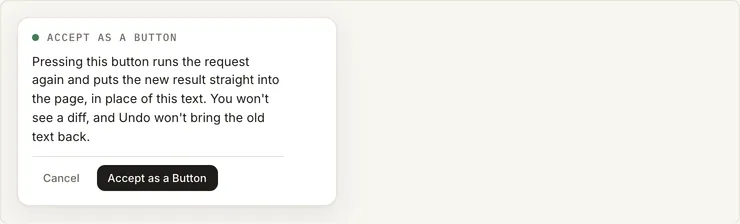
Not every result can be a button. One that changes other parts of the page, deletes the text, or ends in a code block can’t, for example. In that case the menu offers Ask again as a button, and the agent comes back with a result that can be one.
Pressing it
Section titled “Pressing it”Pressing the button runs the request again with its saved instruction. The new result goes straight into the page and replaces the old one, unless:
- the agent declined or gave an answer instead,
- you changed the text while it was running, or
- the page can’t be written safely right then (say, a change from somewhere else is still being merged).
In those cases the result waits as a normal suggestion. Once you decide on it, the button comes back.
On hover
Section titled “On hover”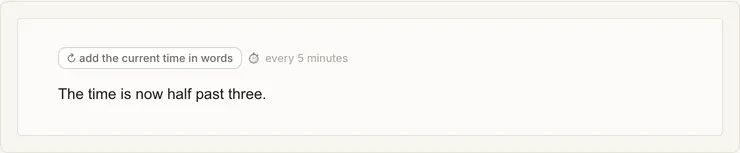
-
✎changes the button’s instruction without running it. -
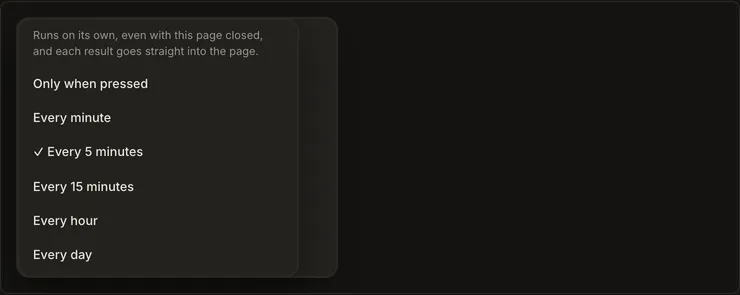
⏱sets a schedule: every minute, 5 minutes, 15 minutes, hour or day. The server runs scheduled buttons even when the page isn’t open, unless the page’s agents are off.Schedule menu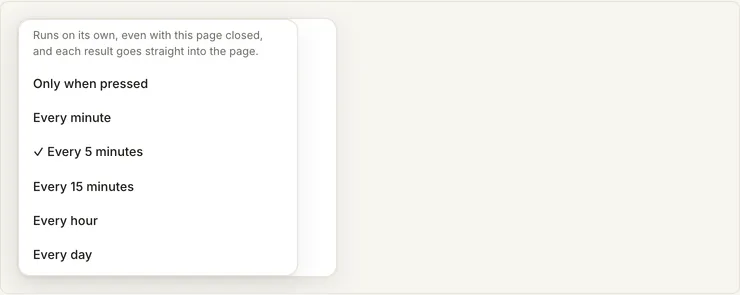
-
×removes the button and keeps the text.
The pill next to a button says when it last ran. Hover over it to see the next scheduled run.
For Solipsist 0.1